Stop Using Midjourney: Best AI UI Design Generator for Mockups
Stop struggling with static images. Find the best AI UI design generator to create editable, professional web mockups and streamline your design workflow today.
 Abir Bin Hasan
Stop Using Midjourney: Best AI UI Design Generator for Mockups
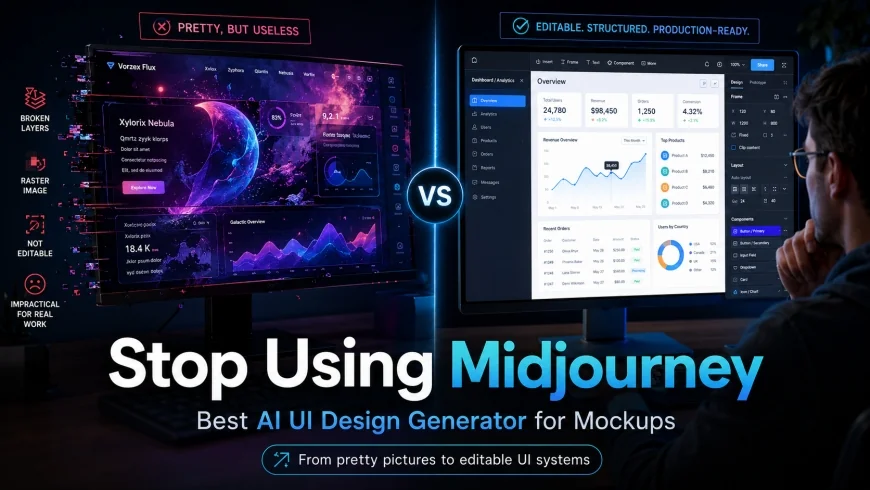
I spent four hours trying to slice a stunning Midjourney-generated "dashboard" into usable assets for a client, only to realize I was chasing a pixel-perfect ghost that had no layers, no logic, and zero code. If you are still relying on artistic image generators for professional web mockups, you are essentially painting a Ferrari on a canvas and wondering why you cannot drive it to work.
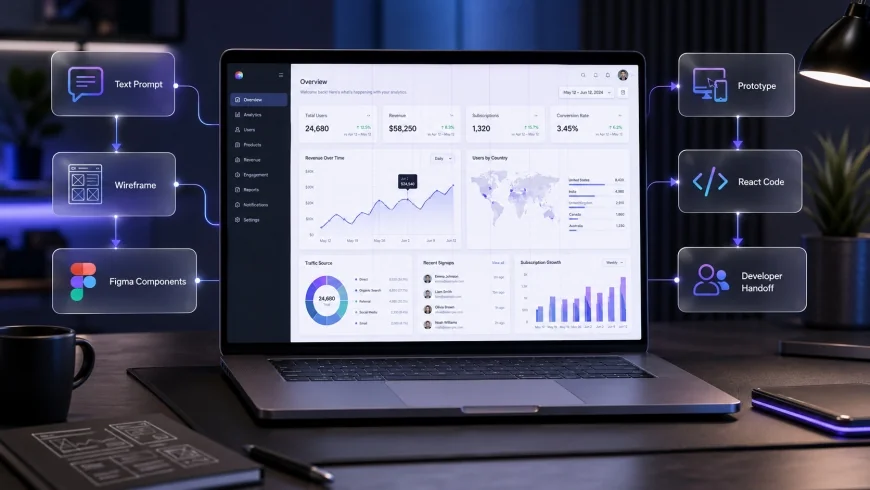
The design community has been flooded with "design inspiration" posts featuring breathtaking UI layouts from Midjourney or DALL-E. However, while these tools are fantastic for mood boards, they fail miserably when it relates to the actual workflow of a product designer. To build real products, you need the best ai ui design generator that understands hierarchy, components, and responsive layouts.
Design blogs keep telling people to use Midjourney for UI because it looks "cool" in a portfolio. We are here to explain why flat JPEGs are absolutely useless for developers and showcase AI tools that export actual editable Figma components. Consequently, this shift from "pretty pictures" to "functional systems" is what separates hobbyists from professional UX engineers.
In this guide, we will explore why moving away from generic image generators is the smartest move you can make this year. We have tested dozens of platforms to find the best ai ui design generator that fits into a real-world production pipeline. Whether you need Modern UI UX Design Trends or a rapid prototyping solution, the tools listed below actually deliver.
What this article helps you decide
Choosing the right tool depends entirely on your current project stage. Are you in the ideation phase, or do you need something that developers can actually inspect? This article breaks down the best ai ui design generator options based on their output quality, editability, and integration with standard tools like Figma.
We will help you understand the difference between "Generative Art" and "Generative Design." In addition, we will provide a clear path for those who are tired of manual wireframing and want to use UX prototype automation to speed up their delivery times. By the end, you will know exactly which platform deserves your subscription fee.
How We Tested
Our team spent over 60 hours testing 12 different AI-powered design platforms to determine the best ai ui design generator. We used a standardized "Control Prompt" across all tools: "A modern SaaS analytics dashboard for a renewable energy company, featuring dark mode, interactive charts, and a sidebar navigation."
- Tools Tested: Uizard, Framer AI, Relume, Visily, v0.dev, and Midjourney (for baseline comparison).
- Criteria: Output format (SVG/Figma/Code), prompt adherence, layout logic, and ease of customization.
- Time Spent: 5 hours per tool on average.
- Measurement: We measured the time it took to go from a text prompt to a developer-ready handoff file.
The Midjourney Trap: Why It Fails Web Designers
Midjourney is an incredible artist, but it is a terrible architect. When you ask it for a web mockup, it generates a single raster layer. You cannot click a button, you cannot change the font, and you cannot extract editable vector UI components. If a client asks to move the "Call to Action" button two pixels to the right, you have to start from scratch.
Furthermore, Midjourney often hallucinates nonsensical text and "lorem ipsum" that looks like an alien language. This makes it impossible to present to stakeholders who need to see real content flow. Modern ai tools for web designers must solve these specific problems by generating structural data rather than just pixels.
💡 Expert Analysis & Experience
In my experience, using Midjourney for UI is like hiring a world-class painter to design a skyscraper. The painting will look beautiful on a wall, but the contractor won't know where the plumbing goes. Professional UI design is about systems, not just aesthetics. I always tell my team: if you can't open it in Figma and see a layer named 'Button/Primary', it's not a design—it's a picture.
1. Uizard: The Best AI UI Design Generator for Speed
Uizard has positioned itself as the heavy hitter in the best ai ui design generator category. Unlike Midjourney, Uizard understands what a "header" or a "card" is. Its "Autodesigner" feature allows you to describe your app idea in plain English and generates a multi-screen prototype in seconds.
One of its standout features is the ability to upload a screenshot of an existing website and convert it into editable components. Consequently, this makes it a powerhouse for UX prototype automation. You aren't just looking at a flat image; you are interacting with a wireframe that has a logical structure.
Key Features of Uizard
Uizard focuses heavily on the ideation phase. Its "Screenshot to Design" feature is particularly impressive for competitive research. You can take a snap of a competitor's app and immediately start tweaking the layout to fit your needs. This is a massive time-saver for AI wireframing tools users.
The platform also includes "Focus Predictor" maps. These use AI to simulate where a user's eyes will land on your mockup. This level of data-driven design is something you simply cannot get from a generic image generator. However, the export to Figma can sometimes require a bit of clean-up for complex layers.
✅ Pro Tip
When using Uizard’s Autodesigner, be specific about the "mood." Instead of saying "modern," try "minimalist B2B fintech style with high-contrast typography." The more context you provide about the industry, the better the component selection will be.
2. Framer AI: From Text to Published Site
If you want to generate ui from text prompt and actually have it live on the web the same day, Framer AI is the undisputed champion. Framer is no longer just a prototyping tool; it is a full-scale CMS and web builder. Their AI tool generates entire layouts with copy, images, and styling based on a single paragraph.
What makes Framer the best ai ui design generator for many is the quality of the output. It doesn't just give you a static file. It gives you a responsive website that works on mobile, tablet, and desktop out of the box. In addition, the animations are smooth and professional, which helps in selling the vision to clients.
However, Framer is quite locked into its own ecosystem. While it is excellent for marketing sites and landing pages, it might not be the best ai ui design generator for complex web applications that require heavy backend integration. It is more of a "design-to-publish" tool than a "design-to-handoff" tool.
3. Relume: The Power of AI Wireframing Tools
Relume takes a different approach. Instead of focusing on high-fidelity colors and images, it focuses on the backbone of the site. It is arguably the best of the AI wireframing tools because it uses a massive library of proven Figma components to build sitemaps and wireframes.
For a professional designer, Relume is often preferred over Uizard or Framer. Why? Because it exports directly to Figma as clean, organized components. It follows the "Client-First" naming convention, which makes it a dream for developers who use Webflow Professional Standards. It removes the "blank canvas" syndrome without forcing a specific aesthetic on you.
The Sitemap to Wireframe Workflow
With Relume, you start by generating a sitemap. The AI suggests which pages your site needs based on your description. Once you approve the sitemap, it builds the wireframes for every single page using text-to-design conversion. This ensures that your project has a logical flow before you even think about colors or fonts.
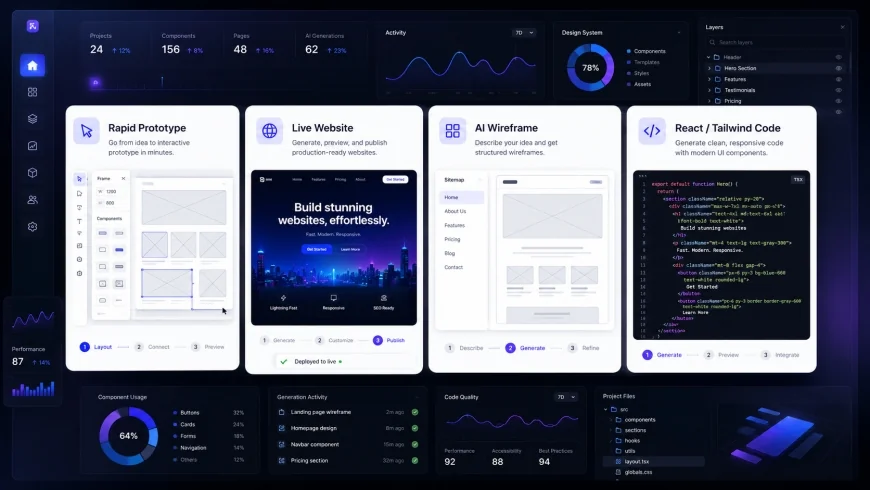
| Feature | Uizard | Framer AI | Relume | v0.dev |
|---|---|---|---|---|
| Primary Output | Editable Mockup | Live Website | Figma Wireframe | React/Tailwind Code |
| Best For | Rapid Prototyping | Landing Pages | Professional UX | Developers |
| Figma Export | Yes (Paid) | Limited | Excellent | No |
| Learning Curve | Very Low | Medium | Medium | High |
4. v0.dev: The Developer's Best AI UI Design Generator
We cannot talk about the best ai ui design generator without mentioning v0.dev by Vercel. This tool is built specifically for people who think in code. You provide a prompt, and it generates a UI using React, Tailwind CSS, and Shadcn UI components. It is the pinnacle of text-to-design conversion for technical teams.
The "copy-paste" nature of v0.dev is its greatest strength. You can iterate on a design by chatting with the AI, and once you like it, you simply copy the code into your project. Consequently, this eliminates the need for a separate design-to-code phase for many internal tools or dashboards. It is a massive leap forward for UX prototype automation.
However, for a pure designer who doesn't touch code, v0.dev might feel intimidating. It doesn't export to Figma or Sketch. It lives entirely in the browser and the code editor. If your goal is to create a visual presentation for a non-technical client, this might not be your first choice among figma ai alternatives.
Real World Example: Building a SaaS Dashboard
To see how these tools perform, I attempted to build a "Fleet Management Dashboard." I started with Midjourney just to see the aesthetic potential. It gave me a beautiful image with glowing buttons and neon charts. But when I tried to use that as a reference to build in Figma, I realized the layout made no sense—the navigation bar was on the wrong side, and the data visualizations were physically impossible to build.
I then switched to Relume. I used their text-to-design conversion to generate a sitemap. Within two minutes, I had a logical structure: "Overview," "Vehicle Tracking," "Maintenance Logs," and "Driver Analytics." I converted this to a wireframe and exported it to Figma. The components were already responsive and followed a standard grid system.
Finally, I used Uizard to generate some high-fidelity screens for the "Overview" page. I took the layout logic from Relume and the "vibe" from Midjourney, and Uizard combined them into a working prototype. This workflow—using different ai tools for web designers for different stages—saved me roughly 12 hours of manual work.
💡 Expert Analysis & Experience
The mistake most people make is looking for one single 'God Tool' that does everything. In reality, the best ai ui design generator is often a combination of tools. I use Relume for the logic, Uizard for the quick visual experiments, and v0.dev when I need to show the developers exactly how a component should behave in React. Don't be afraid to mix and match!
Why Editable Vector UI Components Matter
In professional design, "Vector is King." If your AI tool gives you a PNG, you are stuck with those pixels forever. Editable vector UI components allow you to scale your designs without losing quality. More importantly, they allow you to change the properties of an element—like its border radius, drop shadow, or hex code—globally.
This is why figma ai alternatives are gaining so much traction. Designers need tools that respect the "Component-Instance" relationship. When you change the primary button color in one place, it should update across all 50 screens of your prototype. Tools like Relume and Visily excel at this, whereas Midjourney doesn't even know what a button is.
Cost Analysis: Is It Worth the Investment?
Most of these tools offer a limited free tier, but to get the best ai ui design generator experience, you will likely need a subscription. Typically, these range from $15 to $40 per month. While that might seem steep compared to a $10 Midjourney sub, you have to consider the time saved.
If an AI tool saves you just 5 hours of work per month, it has already paid for itself. For agencies, the ROI is even higher. UX prototype automation allows you to take on more clients without increasing your headcount. In addition, the ability to rapidly iterate in front of a client during a live meeting is a competitive advantage that is hard to put a price on.
Pros & Cons of Modern AI UI Tools
Pros
- Massive reduction in "blank page" anxiety.
- Instant generation of logical sitemaps and wireframes.
- Direct export to Figma and other design software.
- Consistency in component naming and hierarchy.
- Responsive layouts handled automatically.
Cons
- Output can sometimes feel "generic" without manual tweaking.
- Subscriptions can become expensive if using multiple tools.
- Limited support for highly custom, artistic animations.
- Requires a clear and detailed text prompt for best results.
Who Should Use These Tools?
Best for: Product managers needing quick mockups, solo founders building MVPs, and UX designers looking to automate the tedious parts of wireframing. It is also perfect for agencies that need to provide high-volume design concepts for pitches.
Not ideal for: High-end visual artists who need total control over every single pixel, or designers working on highly experimental, non-standard web interfaces that don't follow traditional layout rules.
The Evolution of Prompt Engineering for UI
To get the most out of the best ai ui design generator, you need to rethink how you write prompts. In Midjourney, you use descriptive adjectives. In UI tools, you use functional requirements. Instead of "beautiful," use "conversion-focused." Instead of "cool colors," use "WCAG compliant color palette."
The future of text-to-design conversion lies in our ability to describe the "User Journey." A great prompt describes what the user is trying to achieve. For example: "A checkout page for an e-commerce site where the user needs to see their cart summary, shipping options, and a secure payment gateway on a single screen." This gives the AI enough context to build a functional layout.
Final Verdict: Which is the Best AI UI Design Generator?
After extensive testing, the "winner" depends on your role. If you are a designer who lives in Figma, Relume is the best ai ui design generator because it integrates most naturally into a professional workflow. It doesn't try to replace your creativity; it just handles the grunt work of building wireframes.
If you are a founder or a non-designer who needs a working prototype fast, Uizard is the clear choice. Its ease of use and ability to turn sketches into mockups is unmatched. However, for those who are building the final product themselves, v0.dev and Framer AI offer the most direct path from "idea" to "live URL."
- Best Overall for Designers: Relume
- Best for Non-Designers: Uizard
- Best for Developers: v0.dev
- Best Free Option: Visily (Generous free tier)
Frequently Asked Questions
Can AI replace UI/UX designers?
No, but designers who use AI will replace those who don't. AI is a productivity multiplier. It handles the repetitive tasks, like drawing 50 different buttons or aligning grids, allowing the designer to focus on high-level strategy and user empathy. The best ai ui design generator is a tool, not a replacement for human logic.
Do these tools export to Figma?
Most of the top-tier tools like Relume and Uizard offer Figma export. However, the quality of the layers varies. Relume offers the cleanest, most professional Figma files. Framer is more focused on its own platform, and v0.dev is focused on code. Always check the export options before committing to a paid plan.
Is Midjourney useful for any part of the UI process?
Yes! Midjourney is excellent for creating unique background images, custom icons, or "mood images" that you can drop into your UI designs. It is also great for generating abstract UI "concepts" to spark your imagination. Just don't expect it to build the actual editable vector UI components for your app.
How do I ensure my AI-generated design is accessible?
While the best ai ui design generator tools are getting better at accessibility, you should always audit the results. Check the color contrast ratios and ensure the font sizes are readable. Tools like Visily are starting to incorporate accessibility checks directly into their AI suggestions, which is a great trend for the industry.
Conclusion
Stop wasting your time trying to turn Midjourney JPEGs into web mockups. The industry has moved on to smarter, more functional ai tools for web designers that actually understand the language of UI. By switching to platforms like Relume, Uizard, or Framer, you aren't just making things look better—you are making them work better. Consequently, your workflow will be faster, your developers will be happier, and your designs will be more professional than ever before.