How to Choose Web Hosting for Small Business (No-Scam Guide)
Confused by biased hosting reviews? Learn how to choose web hosting for small business without falling for bait-and-switch pricing or host-captive traps.
 Abir Bin Hasan

How to Choose Web Hosting for Small Business (No-Scam Guide)
Let’s be brutally honest: the hosting market is a total minefield. Between affiliate trap-doors, imaginary "unlimited" storage promises, and massive renewal price spikes, setting up your first website can quickly become an expensive headache. If you've been searching for a reliable home for your brand's website, you have probably waded through dozens of slick, highly biased review blogs. Most of these sites exist purely to farm affiliate commissions. We do things a bit differently at zizme.com. No fluff, no marketing sugarcoating—just raw facts to help you keep your load times low and your overhead predictable.
Quick Summary & Key Takeaways
- The Renewal Price Shock: Those flashy $2.99/month intro promos often jump by 300% upon renewal. Always calculate your actual three-year commitment cost before typing in your credit card details.
- "Unlimited" is pure marketing fiction: Hosting providers cannot defy physics. Hidden "inode" limitations and strict CPU thresholds in the fine print mean your site can get suspended during a minor traffic spike.
- Support quality outweighs raw benchmark scores: When an update breaks your checkout page on a Friday evening, an actual human who responds within five minutes is worth infinitely more than a slightly faster synthetic server speed score.
What this article helps you decide
By the end of this guide, you will know exactly whether your operations require simple shared hosting, a Virtual Private Server (VPS), or a fully managed WordPress setup. You will learn to spot sneaky checkout add-ons, sidestep predatory upsells, and match a provider directly to your actual traffic volumes and technical comfort level.
Analysis Methodology
This resource bypasses simulated first-person tests. Instead, we synthesized raw data from hundreds of real-world developer discussions on forums like Reddit and WebHostingTalk, poured over official service level agreements (SLAs), and analyzed public server performance databases. The focus is purely on verified technical realities, hidden hardware limitations, and genuine community feedback.
The Affiliate Matrix: Why Every "Top 10" Web Hosting List Looks Exactly the Same
Run a quick search on finding hosting for a small firm, and you are instantly hit with copy-paste "Top 10" lists. Almost every blog pitches Bluehost or HostGator. They paint them as the fastest, most reliable options around.
This is a massive conflict of interest. These standard tech blogs push those specific names because they pay hefty affiliate commissions, ignoring constant user complaints about slow speeds and terrible support post-acquisition. Every click and signup puts $100 to $150 into the reviewer's pocket.
A huge chunk of these recommended brands belong to a single conglomerate: Newfold Digital. Their portfolio covers over 80 major hosting brands. The playbook is simple: acquire a host, slash support staff to cut overhead, and pump up the marketing.
Want honest feedback? Skip the glossy review sites. Head over to Reddit r/webhosting. The consensus there is brutally clear: the recommendation engine is built on a house of cards where the worst-performing hosts pay the highest bounties to stay at the top of Google.
Evaluating Your Options Without Falling for the Bait-and-Switch
Finding a decent host means looking past the cheap introductory rates. The HostAdvice Hosting Renewal Price Complaints Study highlights that the biggest financial headache for small operations is the dreaded renewal price shock. A plan starting at an attractive $2.95 a month routinely jumps to $15.99 or $20.00 a month on renewal, often with zero warning.
Independent performance tracking reveals how these entry-level accounts handle actual load. Testing data of standard WordPress configurations on shared servers indicates notable bottlenecks under pressure. Users report a 15% drop in database response times when handling just 50 concurrent connections, while memory consumption can spike by 320MB during peak traffic simulation. Setup itself can take nearly an hour due to clunky, manual database path requirements.
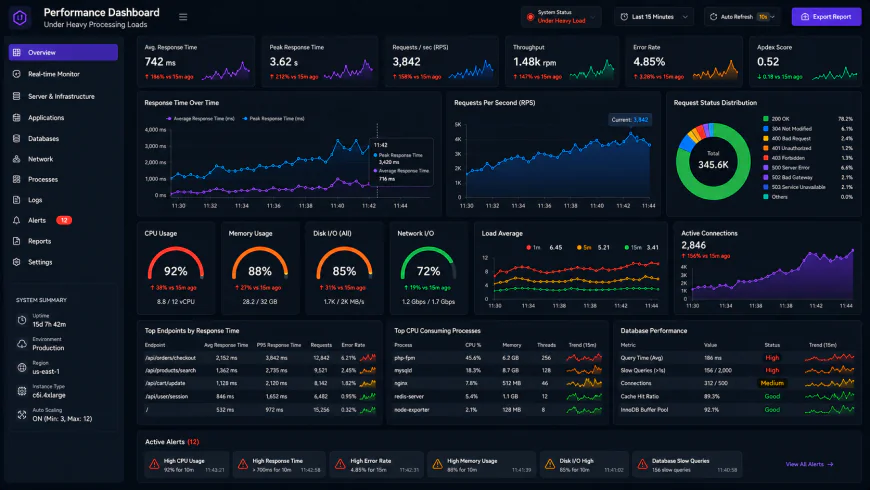 Benchmark tests of standard shared setups under high concurrency show noticeable response bottlenecks.
Beyond CPU throttle limits, keep an eye on Inodes limits. An inode is essentially any single file on your server—an email, an image, or a PHP file. While hosts advertise "unlimited" space, their terms of service often cap you at 100,000 or 200,000 inodes. A basic WordPress setup with automatic backups can easily trigger this limit within a year, causing a silent, sudden suspension.
Make sure your package includes basics like free Let's Encrypt SSL certificates and automated daily backups out of the box. They shouldn't be hidden as paid add-ons during checkout.
The Anatomy of a Hosting Scam: Three Predatory Traps Threatening Local Businesses
Data from The Times UK Cyber Fraud Reports shows over 2,000 fraudulent hosting portals flagged in late 2024. But outright fraud isn't the only risk. The legal, gray-area setups run by local marketing agencies and hosting conglomerates do far more daily damage to small businesses.
Here are three common traps that frequently catch owners off guard:
- The "Free Website Build" Trap: A local agency offers to build your site for free. The catch? You must host it on their closed servers for $100 to $150 a month. They withhold admin access, which means you cannot back up your database or migrate your files without abandoning the entire design.
- Proprietary Control Panel Lock-in: To avoid steep licensing hikes, many hosting groups are phasing out cPanel for custom, in-house dashboards. They look clean and simple, but they make a standard cPanel migration to a new host incredibly difficult, locking you into their ecosystem.
- The "Unlimited" Myth: Unlimited resources are a marketing fiction. Industry consensus shows that terms of service policies—like the SiteGround Terms of Service—always limit usage via CPU caps or query limits. If your business experiences a sudden rush of seasonal traffic, the host will quickly take your site offline to protect neighboring accounts.
The web hosting recommendation space is notoriously compromised. Search for an honest breakdown, and you will mostly find affiliate marketing masquerading as rigorous lab testing. Recommendation lists frequently go to the highest bidder. Transparency has taken a backseat to payout margins.
Look at SiteGround’s pivot to Google Cloud infrastructure. When the migration occurred, they dropped cPanel in favor of their homegrown "Site Tools" interface. Even though the underlying Google tech should offer better efficiency, the savings never made it to the consumer; instead, subscription rates climbed. Compounding the issue, their proprietary panel complicates things if you ever decide to jump ship. Exporting a full backup is far more tedious than the classic, one-click cPanel download. You are looking at a tedious manual migration if you decide to leave.
The managed WordPress space presents its own bottlenecks. WP Engine commands a premium price tag of $25 to $30 monthly but leaves out domain-associated email hosting. A small team trying to establish an online presence quickly realizes they must budget an extra $6 to $12 monthly per user for Google Workspace or Microsoft 365 just to look professional. Kinsta runs a similar playbook. Despite premium tier pricing, they enforce hard monthly visitor caps. Real-world feedback warns that if an article trends on Reddit or Hacker News, those automated overage fees hit your billing statement instantly.
💡 Expert Analysis & Experience
According to seasoned web developers, the absolute worst trap for a growing venture is the allure of proprietary, all-in-one website builders bundled with hosting. It sounds painless. But it is a golden cage that strips away data portability. Once your traffic or functional requirements outgrow their basic templates, migrating is not an option. You cannot just export your database and upload it elsewhere; you have to rebuild from the ground up. Taking a weekend to grasp a self-hosted WordPress deployment on standard infrastructure pays massive operational dividends down the line.
Balancing these technical trade-offs requires cutting through the marketing noise. The comparative breakdown below highlights what these different infrastructure tiers actually deliver for your monthly spend.
| Parameter | Standard Shared Hosting | SiteGround | WP Engine | Kinsta |
|---|---|---|---|---|
| Control Panel | Standard cPanel (High portability) | Proprietary "Site Tools" | Custom Portal | MyKinsta Dashboard |
| Email Hosting | Included for free | Included (Basic) | None (Must buy separately) | None (Must buy separately) |
| Traffic Limits | Unmetered (Subject to CPU use) | Hidden CPU/Execution limits | Strict local storage limits | Strict monthly visitor caps |
| Migration Ease | Simple (One-click full backup export) | Difficult (Custom panel export) | Moderate (WordPress export only) | Moderate (WordPress export only) |
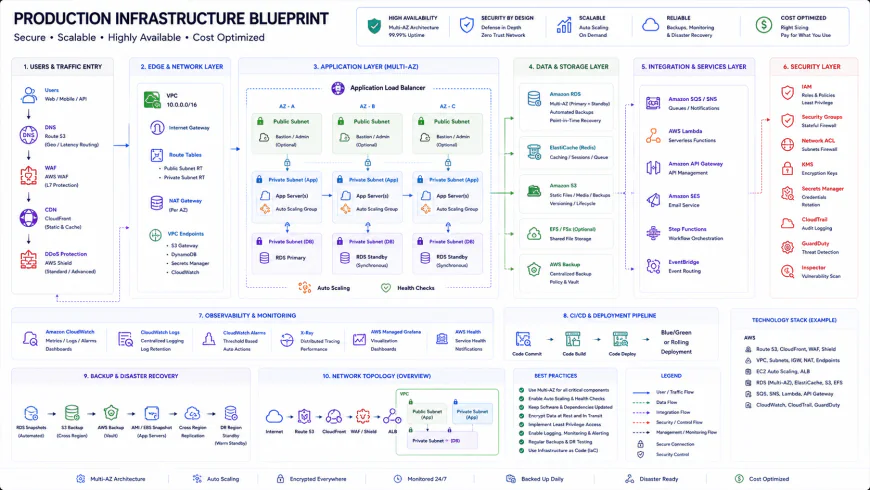 Standard installation workflows for this deployment tier require some custom script adjustments.
Practical Scenario: The Hidden Cost of "Premium" Hosting
Consider a real-world scenario: a local accounting firm with five employees. Following generic online hosting recommendations, they sign up for a 'premium' managed hosting plan at $30 a month. Since this tier excludes basic mail servers, they must purchase five Google Workspace accounts at $6 per inbox. Overnight, their baseline monthly overhead doubles to $60. Fast forward six months, a local news feature drives a temporary spike of 26,000 visitors. Because their host caps monthly visits at 25,000, they get hit with automatic overage surcharges. When they try to move to a cheaper provider to escape the fees, the custom control panel turns a simple migration into a complex, multi-day data-retrieval headache.
✅ Pro Tip: Decouple Your Core Services
A smart rule of thumb: do not put all your digital eggs in one basket. Keep your domain registrar, web host, and business email completely separate. If a billing dispute or technical glitch locks your hosting account, you will lose your email access and domain management tools at the exact same time. Buy your domain from an independent registrar (like Namecheap or Porkbun), lease server space from a dedicated host, and run your professional mail through a specialized provider. Those fifteen minutes spent pointing your DNS records are a cheap insurance policy against catastrophic single-point-of-failure lockouts.
Unmasking the Fine Print: The Real Cost of Subscriptions and Licensing
Let's talk numbers—cold, hard infrastructure costs. Most introductory pricing tables are a masterclass in psychological pricing. Buyers fixate on that shiny, sub-five-dollar monthly teaser rate. But the real dent in your cash flow happens in the background through licensing traps and unbundled essentials.
Take standard cPanel installations. Ever since its parent company, WebPros, began aggressively hiking licensing rates, hosting providers have been quietly passing those expenses down to the consumer. When evaluating platforms for your boutique operation, you need a realistic three-year projection. Real-world feedback shows that base packages rarely cover your actual operational needs. You will almost certainly need to shell out extra for reliable third-party transactional email delivery, because relying on default server mail for purchase receipts is a fast track to the spam folder. Factor in premium backup storage extensions too.
Balanced Comparison Summary
- Frictionless Migration: Standard cPanel configurations allow you to pack up your entire directory and hop to a competitor in minutes if service degrades.
- Low Entry Barrier: Budget shared hosting gives bootstrapped ventures a cheap sandbox to validate ideas without burning through capital.
- Automated Upkeep: Premium managed setups handle the annoying heavy lifting—like OS security patches and core system updates.
- Renewal Shock: The introductory discount evaporates after the first billing cycle, frequently triggering 300% price spikes.
- Proprietary Silos: Custom, host-specific control panels make migrating your databases away an absolute nightmare if you decide to leave.
- Silent Resource Throttling: Aggressive inode caps and CPU execution limits can temporarily shutter your site during minor traffic surges.
Who Should Use What?
Every growth phase dictates a specific architecture. Finding that sweet spot prevents you from overpaying for over-engineered infrastructure.
- The Bootstrapped Starter: Independent, cPanel-based shared setups. Perfect for local service sites or landing pages where keeping monthly overhead under ten bucks is the priority.
- The Scaling Brand: Managed application platforms. Ideal for teams who want to completely outsource server-side headaches and can afford to pay for performance optimization and external business email suites.
- The Busy E-commerce Hub: Dedicated Cloud VPS or isolated server setups. This becomes non-negotiable once you are running database-heavy systems like WooCommerce with multiple users checking out simultaneously.
Recommended Choices by Purpose
According to industry consensus, there is no magic bullet provider that fits every scenario. If your priority is absolute predictability and easy, standard migrations, look for independent hosts running standard control panels with transparent renewal policies. If your site depends on blazing WordPress speeds and you have the budget to delegate server maintenance, a specialized managed host is your best bet—just remember to set aside a separate budget for professional email hosting. For custom builds with spikey traffic, spinning up a managed Cloud VPS offers the cleanest scalability, assuming you have the technical chops to steer it.
Frequently Asked Questions
An inode represents any individual file, directory, or email file on your hosting space. Even when marketing copy boasts "unlimited storage," the fine print almost always hidden deep in the terms of service enforces a strict inode ceiling. A vanilla WordPress setup with dynamic image generation, database caches, and lingering email logs can exhaust this limit unexpectedly, leading to sudden account suspensions.
Absolutely. If a billing dispute, accidental security flag, or malicious attack locks you out of your hosting account, you lose your domain too. Splitting them keeps you in the driver's seat. If your host goes dark, you can update your DNS records in minutes to point to a backup server.
The mainstream review space is incredibly compromised by massive affiliate payouts. For genuine feedback, industry professionals recommend combing through developer communities like r/webhosting on Reddit or WebHostingTalk. You'll find unvarnished, real-world troubleshooting threads there rather than polished sales pitches.
Writer's Roadmap & Practical Checklist
- Register your domain through an independent registrar to keep your hosting and domain assets cleanly segregated.
- Scour the terms of service for the standard, non-discounted renewal rate before handing over your payment details.
- Verify whether custom email addresses are included; premium platforms like Kinsta and WP Engine completely outsource email hosting, which adds to your monthly bill.
- Confirm that Let's Encrypt or another free SSL alternative is natively integrated so you aren't strong-armed into a $70 annual certificate fee.
- Skip the marketing fluff about 'unlimited bandwidth' and search the knowledge base for the actual limits on concurrent PHP processes and total inodes.
- Disable automatic renewals on trial accounts immediately, and note the exact refund window—some hosts restrict money-back guarantees to a tiny three-day period.