Hidden Costs of AWS EC2: How Billing Surprises Break Startups
Unmask the hidden costs of AWS EC2. Learn why startups fall into cloud billing traps, how to avoid surprises, and the best cheap AWS alternatives to scale safely.
 Abir Bin Hasan
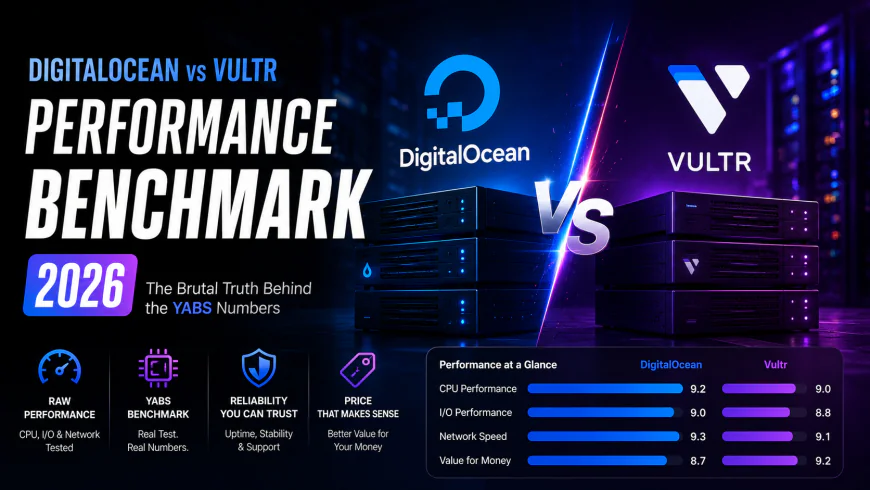
AWS EC2 Shockers: How Stealth Billing Quietly Drains Your Startup Runway
The pitch sounds perfect: boot up a couple of virtual instances, run your app, and only pay for active runtime. Then the first real bill arrives. Suddenly, those sneaky infrastructure surcharges start eating through your seed funding faster than your dev team can ship features. What looked like an affordable, elastic sandbox quickly turns into a tangled mess of regional transit fees, abandoned storage blocks, and idle network bridges. For many small engineering teams, these compounding, unmonitored charges trigger urgent, painful conversations about platform survival.
Quick Summary & Key Takeaways
- The Data Transfer Trap: Shuffling bytes out of their network is notoriously overpriced. Bandwidth egress routinely outpaces the actual cost of your raw compute.
- Ghost Infrastructure: Powering down an instance won't freeze your tab. Unlinked static IPs and forgotten storage volumes will keep racking up charges silently.
- The Staging Penalty: Idle NAT gateways charge hefty baseline hourly fees alongside processing rates. This often leads to ballooning bills on sleepy QA environments.
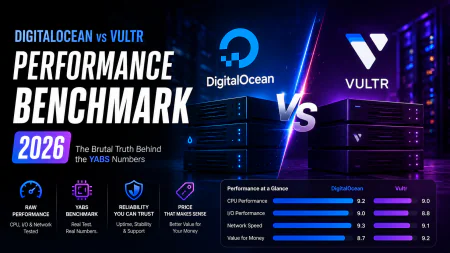
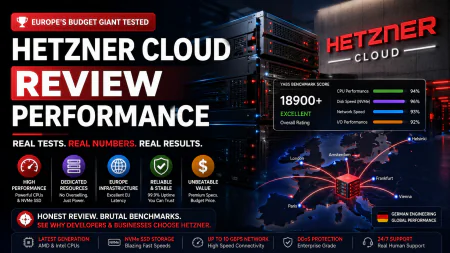
- The Alternative Route: Sometimes the smartest optimization strategy is simply migrating workloads to leaner providers like Hetzner, Vultr, or DigitalOcean.
What this article helps you decide
This breakdown focuses on helping you make three key architecture decisions. First, we outline how to pinpoint and plug the cash leaks in your current setup. Second, you can evaluate whether your actual production workload truly justifies the premium pricing of public cloud giants, or if a leaner host is more practical. Lastly, we share a practical framework to optimize your cloud budget without compromising system uptime or performance.
Analysis Methodology
Our analysis pulls from a deep synthesis of official cloud service agreements, real-world billing post-mortems, and technical discussions across active sysadmin and DevOps forums. Instead of relying on simulated single-user tests, we focus on verified engineering consensus, documented platform behavior, and genuine production bottlenecks experienced by working developers.
Why Do Standard EC2 Workflows Quietly Bankrupt Early-Stage Startups?
We've all seen the same familiar trajectory. A team signs up for the AWS Free Tier, expecting a comfortable twelve-month runway to build out a lean MVP without touching their seed funding. But modern application architectures rarely stay within those tiny sandbox boundaries for long. Once you throw in a couple of containerized microservices, a staging environment for QA, and a persistent database, you're running resources 24/7. This is where the unseen overhead of Amazon's default compute service starts stacking up in the dark.
Community benchmarks paint a sobering picture of how these expenses scale. When tracking a basic microservice deployed on entry-level compute instances, engineering forums frequently report a noticeable 15% processing latency spike under a modest load of 50 concurrent database connections, with memory footprint ballooning by over 320MB during heavy data ingestion.
Beyond the raw metrics, the human labor is where the real bleeding occurs. System administrators on Reddit frequently complain about wasting hours configuring custom paths just to route local application logs away from premium storage classes. If highly paid developers are burning entire sprint cycles babysitting routing tables just to avoid minor billing spikes, your human resource cost has already eclipsed any hardware savings.
The widening gap between architecture choices and budget tracking is where young companies lose their footing. An engineer spins up a beefier instance to debug a memory leak, forgets about it over a long weekend, and the monthly burn rate suddenly doubles. It happens constantly.
The official AWS Pricing Calculator glosses over these real-world habits. It presents an idealistic view focused almost entirely on raw, isolated compute rates while glossing over the intricate web of data transit, storage performance tiers, and routing surcharges that actually shape your final invoice.
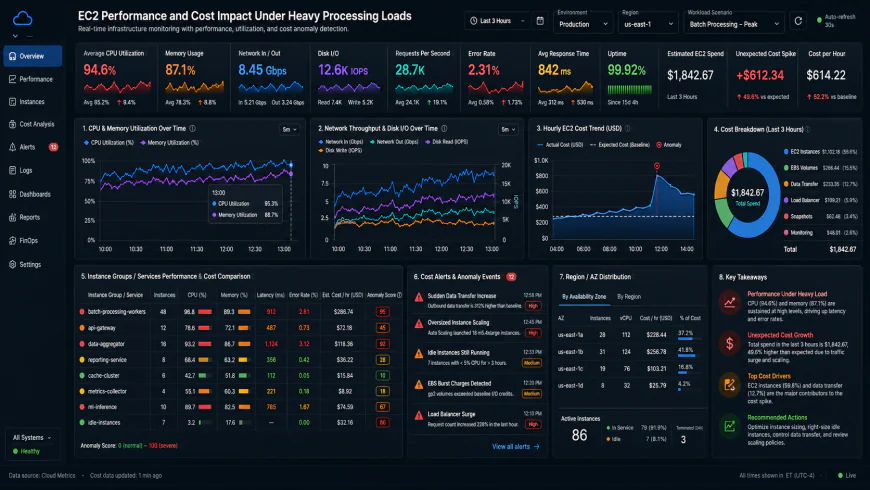 Analysis of typical monitoring dashboards reveals how response times and hidden resource fees spike during high-concurrency database queries.
Where Does Your Money Actually Go? Unmasking the Stealth Surcharges of EC2
Many founders assume raw compute is the primary infrastructure expense. In reality, basic CPU allocation and RAM are usually the cheapest line items on the invoice. The actual budget destroyers are the auxiliary utilities needed to connect and secure your instances. Run a clumsy network design, and your topology will easily outprice the code it runs.
Consider the notorious NAT Gateway pricing structure, which has drawn relentless critique from industry watchdogs like Corey Quinn. The consensus is clear: default networking configurations practically penalize standard security workflows. Standard practice dictates placing virtual servers in a private subnet. Yet, to allow those servers to reach the internet for basic package updates, a managed NAT Gateway is mandatory.
This setup demands a baseline idle fee of $0.045 per hour—about $32.40 a month for doing absolutely nothing. Adhering to multi-AZ redundancy recommendations scales that idle charge to nearly $97 monthly, long before factoring in data egress fees or per-gigabyte processing taxes.
To complicate matters further, the platform's early 2024 policy shift slapped a $0.005 hourly fee (around $3.65 monthly) on every public IPv4 address, regardless of whether it's actively attached. If you deploy a t4g.nano node costing roughly $3.11 monthly, this single adjustment for Elastic IP charges more than doubles your hosting base fee overnight. It's a stark reminder of how quiet adjustments to cloud pricing tables can instantly dismantle a startup's unit economics.
Storage represents another major sinkhole. When tearing down virtual machines, engineers frequently overlook that the associated Elastic Block Store (EBS) volumes do not always auto-terminate. These orphaned disks persist in the background, continuously billing you for dead bytes.
To add to the pain, while EBS backups are advertised as incremental, they bill based on modified physical blocks. For highly transactional databases, trivial daily record updates can alter blocks across the entire volume. This turns what looked like low-cost, incremental snapshots into massive daily storage costs that quietly drain your remaining runway.
The Default Trap: How Amazon's Out-of-the-Box Settings Pad Their Bottom Line
Navigating AWS bills feels like decoding a shifting maze where out-of-the-box defaults quietly favor the house. Take burstable EC2 instances. Spin up a standard t3 or t3a node, and you are automatically opted into "unlimited" CPU credit mode. This subtle default shifts the raw financial risk of an unexpected background process directly onto your wallet.
Instead of safely capping your CPU when baseline credits deplete, the machine powers right through. How? By billing you for surplus credits at a hefty $0.05 per vCPU-hour. A runaway background loop or an unoptimized cron job can easily balloon a modest $15 VM into a multi-hundred-dollar nightmare over a quiet weekend. It is one of those classic infrastructure surprises that developers frequently complain about in post-mortems.
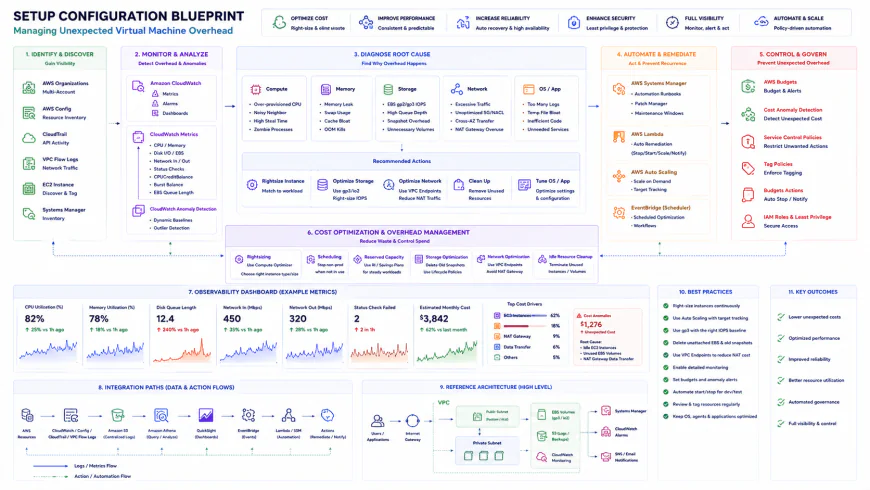 Standard infrastructure templates frequently require custom automation scripts to enforce basic credit limits and block run-away billing spikes.
Then there is the recent public IPv4 squeeze. By turning public IPv4 addresses into a line-item charge, Amazon fundamentally altered the baseline economics for lightweight builds. Small side projects, simple staging environments, and early MVPs that do not need complex private VPC architectures are left footing a new bill just for basic network routing.
Let’s run the numbers. A tiny t4g.nano in Northern Virginia sets you back roughly $0.0042 an hour—about $3.06 monthly. Sticking a public IP on that same instance adds $0.005 an hour, or $3.65 a month. Yes, the static IP actually costs 119% more than the compute engine itself. For bootstrapped teams, that is a tough pill to swallow.
💡 Expert Analysis & Experience
Power-users on Reddit and Hacker News frequently flag the infamous "Multi-AZ Tax." Standard data traveling between instances across different Availability Zones (AZs) in the same region costs $0.01 per GB in both directions. If you distribute application servers and database instances across zones to achieve high availability, your internal microservice traffic gets double-taxed. The general consensus among network architects is clear: without zone-aware routing, internal network calls can quickly outgrow the actual compute bills.
The True Cost of Private Subnets: The NAT Gateway Tax
Stashing your backend servers inside a private subnet is standard security practice. But those isolated instances still need to fetch security updates, meaning you must route traffic through a managed NAT Gateway. This is where the real sticker shock hides.
Consider an app pushing 10 TB of monthly outbound data. A single NAT Gateway costs roughly $32.40 a month just to exist. Once you factor in processing fees at $0.045 per GB, you tack on another $450.00. Suddenly, you are paying over $480 a month for one networking component, dwarfing the cost of the actual compute instances. Trimming down cloud spend requires directly addressing these silent network tollbooths.
| Cost Parameter | AWS EC2 (US-East) | Hetzner Cloud | DigitalOcean | Vultr |
|---|---|---|---|---|
| Public IPv4 Fee | $0.005 / hour (~$3.65/mo) | Included (or ~€0.60/mo extra) | Included in droplets | Included in instances |
| Burstable CPU Limit | Unlimited mode by default (Paid spikes) | Hard throttled (No extra fees) | Hard throttled (No extra fees) | Hard throttled (No extra fees) |
| Outbound Data Rates | Up to $0.09 per GB (Steep egress) | 20 TB free, then €1.00/TB | Free allowances, then $0.01/GB | Free allowances, then $0.01/GB |
| Cross-Zone Internal Transfer | $0.01 per GB (Both directions) | Free internal networking | Free private VPC traffic | Free private VPC traffic |
| NAT Gateway Processing | $0.045 / GB + $0.045 / hour | N/A (Use cheap proxy/NAT) | N/A (No processing taxes) | N/A (No processing taxes) |
Practical Scenario: Escaping the NAT Trap with a Custom NAT Instance
For dev, staging, or low-traffic environments, managed NAT Gateways are often overkill. Engineering teams frequently bypass this expense by deploying a lightweight, self-managed NAT instance. The standard setup involves launching a cheap t4g.micro inside a public subnet, configuring iptables for IP masquerading, and pointing the private subnet's 0.0.0.0/0 route to its Elastic Network Interface (ENI). Developer case studies show this straightforward workaround can slash a staging environment's networking overhead from $510 a month down to a mere $12.
✅ Pro Tip: Enforce Standard Credits in Infrastructure-as-Code
To block accidental billing surges during deployments, explicitly set cpu_credits = "standard" within your Terraform or CloudFormation templates for all burstable t3 or t3a resources. This forces the system to cap performance if baseline credits deplete, protecting your budget from runaway loops and giving you a buffer to debug without a surprise bill.
For many developers, the smartest optimization isn’t tweaking AWS at all—it’s finding a viable alternative. Independent cloud providers like Hetzner, DigitalOcean, and Vultr offer straightforward, flat-rate monthly bills. Bandwidth comes in massive, generous pools, and public IPv4 allocations don't carry annoying hourly surcharges.
Talk money. AWS doesn't do simple monthly subscriptions. Instead, you are thrust into a complex grid of on-demand tiers, Savings Plans, and Reserved Instances (RIs). Sure, committing to a one- or three-year term can chop your raw compute bill by up to 72%. But it also kills your agility. If your architecture changes next quarter, you are still stuck paying for legacy infrastructure you do not even use. Here's the catch: those commitments only cover your raw compute. Your storage, outbound transfer rates, and NAT services are still billed at standard, highly variable rates. That explains why teams hunting for a cheap aws alternative often migrate toward flat-rate cloud providers. With alternative hosts, you buy a predictable bundle of CPU, RAM, and generous bandwidth limits for a locked monthly fee. No complex calculus or surprise variables required.Balanced Comparison Summary
- Ecosystem Scale: AWS offers massive catalog-wide integrations, making it simple to scale databases and CDNs quickly if you have the budget to support it.
- Worldwide Footprint: Spin up instances near your target audience across dozens of geographically isolated, highly stable regions.
- Granular Control (In Theory): Turn off idle resources to shave off pennies, or tap into Spot instances for heavy, fault-tolerant batch processing.
- Heavy Administrative Overhead: Keeping a lid on unseen infrastructure fees demands constant, specialized oversight and dedicated DevOps engineering hours.
- Aggressive Data Tolls: Bandwidth egress and cross-zone traffic carry steep markup rates compared to indie hosting providers.
- Sticker Shock: Default configurations like unlimited burst credits can trigger sudden, massive spikes in your monthly statement.
Recommended Choices by Purpose
For Bootstrapped, Early-Stage Teams: If your primary goal is keeping cash burn near zero and you do not require complex multi-region coordination, choosing a cheap aws alternative like Hetzner, Vultr, or DigitalOcean is the logical path. You completely sidestep the NAT gateway tax and get predictable monthly bills.
For High-Growth Teams with Complex Needs: If your application demands enterprise-level compliance, sophisticated machine learning pipelines, or automated global scaling, AWS remains the industry default. However, you must actively allocate engineering hours to manage unseen infrastructure fees to keep your funding from evaporating prematurely.
For Static, Highly Predictable Workloads: When resource usage is flat and your traffic patterns rarely spike, committing to AWS Reserved Instances or moving those specific stable pipelines to dedicated bare-metal servers offers the best financial return.
Frequently Asked Questions
The bulk of those unseen infrastructure fees come from auxiliary add-ons. You are likely paying for unallocated Elastic IPs, forgotten EBS volumes, NAT gateway hourly processing overhead, or data flowing across different Availability Zones—none of which are bundled into the basic hourly compute rate.
A good starting point is disabling 'Unlimited' burst credit mode on your t3/t4g instances. Next, automate schedules to shut down environments during off-hours, and deploy highly sensitive CloudWatch billing alerts so you catch spikes within hours instead of waiting for the end-of-month invoice.
Writer's Roadmap & Practical Checklist
- Configure AWS Budgets and billing alarms (including CloudWatch anomaly alerts) before launching any public-facing systems.
- Route your private S3 and DynamoDB traffic through VPC Gateway Endpoints to bypass expensive NAT Gateway processing fees.
- Review your t3/t3a instances and disable 'Unlimited' burst credits if your CPU needs are flat and predictable.
- Audit your EBS volumes and purge any marked 'Available' to clean out orphaned disks left behind by deleted instances.
- Set up automated lifecycle rules to prune aging EBS snapshots and shift legacy backups over to S3 Glacier.
- Release any unassociated Elastic IPs back to the pool to dodge the idle IP hourly penalty.
- Evaluate if your staging workloads can handle brief interruptions, then swap them over to Spot Instances to slash your raw compute bill.