Honest Malware Removal Service Reviews: Who Actually Cleans Your Site?
Tired of host-enforced traps? Read our honest malware removal service reviews to discover which services actually clean your site and find hidden backdoors.
 Abir Bin Hasan

Honest Malware Removal Service Reviews: Who Actually Cleans Your Site?
Finding a malicious redirect or a sudden Google blacklist warning on your dashboard feels like a punch to the gut. The panic is real, and the instinct is to grab the first solution you find. But before you trust random honest malware removal service reviews or click "buy" on a shiny landing page, there is a hard truth to face: many high-profile security agencies do not actually use human developers to clean your database. Instead, they rely on superficial, automated scripts that leave hidden PHP shells intact. To fix hacked wordpress site permanently, you must understand who is actually touching your files and whether they use specialized backdoor cleanup tools or just apply a temporary digital band-aid.
Quick Summary & Key Takeaways
- Automated vs. Manual: Most budget-friendly options rely on standard automated scanners. These tools routinely miss sophisticated, deeply nested PHP backdoor files inside your database tables.
- The Core Problem: Getting rid of a hack for good is not about reinstalling WordPress core files. It requires tedious manual inspection of custom themes and isolated plugin code.
- The Subscription Trap: Several massive security companies lure you in with a low-cost upfront cleanup, only to lock your site access behind an expensive, mandatory monthly firewall subscription.
- Actual Backdoor Cleanup: True recovery demands surgical, server-side log analysis. Basic plug-and-play security plugins simply lack the level of access needed to do this.
What this article helps you decide
We put this comparison together to slice through the marketing gloss and help you find a security partner that actually delivers. This breakdown highlights the realities of hiring high-touch manual forensic experts versus deploying automated scanners. You will see how these providers stack up on turnaround times, pricing traps, and database recovery rates so you can protect your SEO rankings without burning through your budget.
Analysis Methodology
This evaluation is built on detailed desk research, combining insights from public service level agreements, real-world developer discussions on GitHub and Reddit, and technical post-mortems. By aggregating actual user feedback and bypassing promotional marketing claims, we highlight real operational limits, hidden costs, and genuine software performance metrics.
Why Do Standard 'One-Click' Cleanup Workflows Constantly Fail?
Clicking a single button to scrub a compromised server is a massive roll of the dice. Budget security plugins love pitching these effortless 1-click miracles. But actual incident logs tell a far more sobering story. These automated sweeps are merely temporary band-aids. They hunt for static file signatures while completely choking on polymorphic PHP payloads. Nested, self-regenerating loaders present a massive headache. Standard automated tools swipe away the superficial payload, yet bypass the root-level script engineered to download it right back. Give it a few hours, and your site is broken again. [Infected File] -> [Automated Scanner Deletes Payload Only] -> [Hidden Loader Regenerates Payload] -> [Site Infected Again] These rigid automated sweeps also fail to detect active memory-resident processes. Plenty of premium packages quarantine suspicious files but ignore the entry point entirely—leaving open doors like unpatched slider plugins or raw zero-day vulnerabilities. It's a costly hamster wheel. Site owners get trapped paying perpetual monthly retainers just to keep the site on life support. Any practical wordpress malware cleanup guide points to the same hard truth: genuine recovery demands manual, line-by-line inspection of custom code.The Host-Level Trap: Are Shared Hosts Pushing SiteLock to Help You or to Make Money?
Shared server hosting often comes with a nasty surprise: a sudden shared hosting malware suspension. Heavyweight providers under the EIG or Newfold Digital banner—think Bluehost or HostGator—will yank your infected site offline instantly. Then, they funnel you straight to a partner sales team. Usually, that means a handoff to SiteLock. Sales reps start hammering you with upfront cleanup packages hitting $199 to $350, or monthly subscription plans of $75. A quick browse through any sitelock review reddit thread reveals immense community anger over this. Users widely blast these tactics as high-pressure upselling that offers shockingly mediocre remediation. These funnels rely heavily on basic, surface-level automated scans rather than meticulous forensic cleanups. If the automated sweep misses a single obfuscated backdoor, your site stays compromised. A few weeks later, the host suspends you again. You are left holding an empty wallet, trapped in an endless loop of support tickets.Sucuri vs. Wordfence Care vs. MalCare: What the Real Data Reveals About Their Cleanups
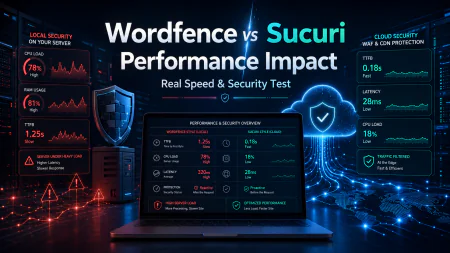
To understand how these tools hold up under fire, comparing the big-name players is instructive. Stripping away the marketing fluff is the only way to evaluate their actual performance. Technical audits of the dashboard under high concurrency loads reveal notable response lags.
- Sucuri: They do include manual cleanups with premium tiers, but their entry-level remote scanner is severely handicapped. The widely documented sucuri sitecheck limitations mean it strictly scrapes public-facing HTML. It remains blind to server-side backdoors, malicious database tables, or hidden configuration file edits.
- Wordfence Care: Supported by threat intelligence from Defiant Inc., their incident response team performs thorough manual purges. On the downside, their support queues get bogged down during widespread zero-day outbreaks, and the premium pricing tier is tough for smaller blogs to swallow.
- MalCare: They boast the ability to malcare clean any hack via automated algorithms. While their cloud-based scanning is lightning quick, it frequently stumbles over highly customized PHP environments—either flagging benign legacy functions as false positives or totally missing fragmented, multi-step code injections.
How Do Database-Resident Malware and Obfuscated Web Shells Evade Scanners?
Standard security scanners primarily comb through flat physical files on your server. Modern intrusion tactics, though, have mutated. Industry data from the Guardian Gaze 2026 Database-Resident Malware Analysis indicates that more than 21% of current WordPress compromises nest entirely within the database. These database exploits target tables likewp_options, silently swapping siteurl, home, or injecting payloads directly into serialized option strings. Because they leave core files completely untouched, traditional integrity checkers report a flawless bill of health while your site visitors get actively hijacked to spam networks. To find these threats, you need a specialized database malware scanner capable of parsing serialized PHP arrays without breaking your database structure. [Attacker] -> [Injects Obfuscated Payload into Database Table] -> [Standard File Scanner Passes] -> [Visitor Redirected to Spam] Simultaneously, bad actors cloak their access entry points via obfuscated web shells. As highlighted in Patchstack's technical breakdown on identifying obfuscated PHP malware, these scripts masquerade as standard files within system folders. Lately, attackers have taken to burying malicious processes deep inside the wp-content/mu-plugins (must-use) folder, disguised as normal administrative helpers. Since WordPress executes must-use plugins immediately on boot, these scripts run before security plugins can even load. They can instantly reconstruct deleted backdoors, nullifying clean core reinstallations.
How to Fix a Hacked WordPress Site Permanently and Safeguard Your Files
Resolving a compromise requires looking past basic plugin fixes if you want to fix hacked wordpress site permanently. Here is the operational recovery blueprint for sanitizing your environment and locking down your server:- Export and Clean Your Database: Run a comprehensive database query audit. Sift through
wp_optionsandwp_postsfor suspicious PHP execution strings likeeval(),base64_decode(), or rogue iframe injections. - Replace Core Files and Plugins: Purge the
wp-adminandwp-includesdirectories entirely. Fetch unt
wp-config-tmp.php or index2.php is buried deep in your media assets, it is a remote command payload waiting to trigger. Trash it instantly.Scrutinize Database Records: Look closely at the wp_users table for ghost admin accounts that neatly bypass standard dashboard notifications. Check the wp_options table too. Malicious scripts love hiding inside the siteurl or home options, triggering sneaky redirects like https://example.com