10 Best Cheap Automated Client Reporting Tools for SEO Agencies
Stop paying a growth tax on client reports. Discover the best cheap automated client reporting tools of 2026 to save 30+ hours of agency work monthly.
 Abir Bin Hasan
10 Best Budget-Friendly Automated Client Reporting Tools for SEO Agencies
Wrangling monthly client reports is often the most tedious chore on an agency's calendar. It is incredibly easy to lose 20 to 30 hours a month manually copying numbers out of GA4, Search Console, and keyword trackers. While heavy-duty enterprise platforms can automate this, their steep licensing fees end up taxing your growth. Fortunately, choosing practical, cheap automated client reporting tools with flat-rate pricing and solid white-labeling lets scaling agencies keep their margins intact while still delivering professional reports.
What this article helps you decide
This breakdown is designed to help agency founders and account managers find the sweet spot between low overhead and polished client delivery. We will look at which low-cost systems offer genuine white-label customization, which connectors actually save you money versus hitting you with hidden API fees, and how to avoid enterprise price tags without losing your historical trend data.
Analysis Methodology
This analysis pulls from public product documentation, terms of service, and actual user experiences shared across web design and marketing forums. Rather than staging fake tests, we have compiled feedback on real-world pain points—such as fragile data connectors, slow interfaces, and unexpected pricing jumps upon renewal—to give you a pragmatic, hype-free view of each platform's stability and setup complexity.
Overview & Market Context: Retention Over Vanity Metrics
In agency life, client retention often hinges on how you wrap up the month. Many software reviews obsess over integration counts, but the real test is client readability. A complicated dashboard packed with technical jargon often does more harm than good if a business owner cannot see their actual return on investment. On the flip side, a clean, straightforward report that connects organic search visibility directly to phone calls or sales is highly effective.
Additionally, the economics of reporting software are shifting. A lot of legacy platforms scale their billing on a "per-client" or "per-campaign" basis. As your roster grows, those subscription fees quickly eat into your recurring revenue. That is why so many agencies are hunting for alternative setups that use flat-rate plans or cheap connector-based models. Decoupling your monthly software bill from your client count is one of the easiest ways to protect your agency's bottom line.
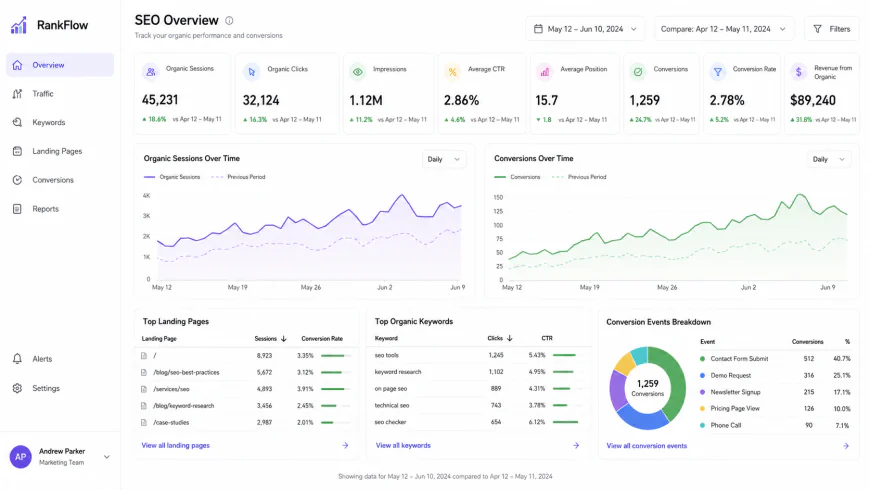 A clean, focused client dashboard helps bridge the gap between technical search metrics and actual business revenue.
In-depth Evaluation of the Top 10 Solutions
1. SE Ranking
SE Ranking is well-known as an all-in-one SEO suite, but its reporting engine is surprisingly capable for agencies looking to keep their overhead low. The drag-and-drop report builder is simple to use, pulling directly from their own keyword tracking, site audits, and backlink databases. Scheduling a monthly report takes a few steps: select a template, add your brand colors, and set up the automated email delivery. It stands out as a strong choice for those tracking affordable white label SEO platforms.
The setup is straightforward. It includes built-in GA4 and Google Search Console integrations, mapping traffic and search impressions alongside keyword ranking changes. To keep up with modern search shifts, they have added tracking for AI-driven search experiences, like ChatGPT and Perplexity citations. This allows agencies to show clients their modern search footprint without needing custom workarounds.
The catch? The white-label features are tied to their higher-tier Agency addon or specific plans, which means an initial jump in price if you are starting on their cheapest tier. Furthermore, if you handle a lot of non-SEO channels like paid social or CRM data, SE Ranking’s lack of deep native integrations outside of search will feel highly restrictive.
2. Power My Analytics
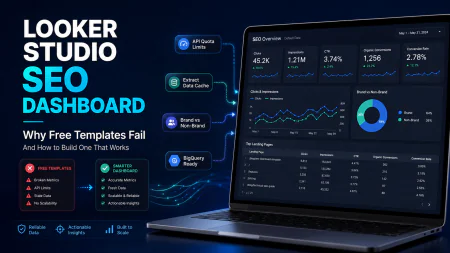
For teams who prefer building reports inside Google Looker Studio, Power My Analytics works as a highly practical middleman. Instead of paying premium prices for enterprise-grade data pipelines, this service lets you connect dozens of marketing channels directly to your spreadsheets or dashboards at a much lower cost. You log into their hub, authorize your accounts, map the fields, and send the data to your destination.
From an operational standpoint, the system is reliable. By caching data on their servers, it helps protect you from hitting Google's API rate limits—a common headache that breaks dashboards during peak reporting days. It also preserves historical performance data, which is crucial if you want to avoid the data expiration policies of direct API calls. It handles custom calculations well, making it easier to blend paid ad spend with organic traffic to show a true acquisition cost.
Plans start at an affordable $9.95 a month for a single connector, scaling gently for agencies. The major drawback, of course, is that there is no proprietary dashboard interface. If you do not enjoy spending hours troubleshooting layout quirks in Looker Studio or Google Sheets, you should probably look elsewhere.
3. Google Looker Studio (With Budget Connectors)
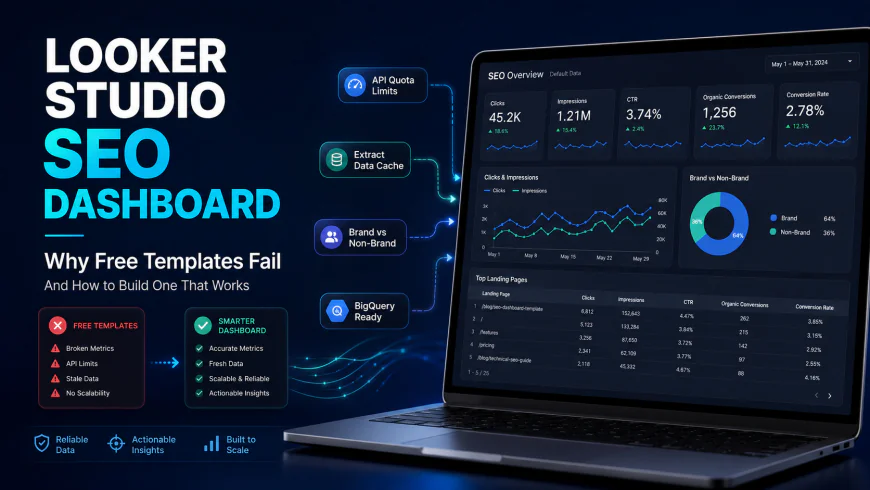
Looker Studio remains the default option for bootstrap agencies because the core visualization platform does not cost anything. Because it is a Google product, hooking up your Search Console and GA4 properties is entirely free, making it incredibly economical for purely organic search campaigns. The drag-and-drop canvas is highly customizable, letting you design beautiful dashboards exactly how you want them.
However, things get messy once you need to pull in third-party data like Facebook Ads, LinkedIn, or local review platforms. Free or ultra-cheap community connectors are notoriously buggy. A minor API update from a social platform can instantly break your charts right before a client call, leaving you scrambling to troubleshoot. You often end up trading software licensing fees for unbilled troubleshooting hours.
For those who want to stick with this route, using pre-built Looker Studio templates designed for budget connectors is usually the best bet. While it offers excellent flexibility and custom domain options, the learning curve is steep. If you do not have a technical mind or the patience to wrestle with complex data blending and connection errors, you may find yourself burning more unbilled hours than you would spend on a paid software subscription.
4. 1ClickReport
1ClickReport is a breath of fresh air for agency owners who dread the monthly ritual of staring at charts and trying to write meaningful executive summaries. It is designed specifically to compete with legacy platforms like AgencyAnalytics but at a fraction of the cost—staying well under the $100 mark. The standout feature here is its smart automation engine, which analyzes your GA4 and GSC data to automatically draft natural, human-sounding summaries and action items for your clients.
Setting it up is a breeze. You connect your client accounts, pick a template, and let the system do the heavy lifting. In seconds, you get a clean report with written context that highlights key wins—like a boost in organic traffic or improved rankings for target keywords. Historically, these kinds of automated insights were locked behind enterprise-tier pricing, so getting them at a flat $25 a month is incredibly high-value.
For that flat monthly fee, you get standard white-labeling, PDF exports, and automated email scheduling without worrying about hidden API costs or usage limits. The customization isn't as infinitely flexible as Looker Studio, but the sheer amount of time you save on copywriting makes it an absolute lifesaver for small teams handling high client volumes.
5. Octoboard
If you want to give your clients a secure, real-time portal where they can check their performance whenever they want, Octoboard is a highly scalable, budget-friendly option. It is particularly great for agencies that manage more than just SEO. If you handle a mix of local SEO, paid search, and social media, Octoboard pulls these scattered data streams into a single, cohesive dashboard under your own brand and custom domain.
The platform has a massive library of over 300 pre-built templates, meaning you can get a professional dashboard up and running in minutes. The widgets are clean, interactive, and easy on the eyes. Pricing starts well under $50 a month and scales based on the number of active clients, making your software overhead highly predictable.
The only real warning with Octoboard is that it can occasionally suffer from "information overload." Because it displays so much data, non-technical clients can get overwhelmed. To keep them happy and focused on what matters, you will want to take a few minutes to hide the secondary metrics and highlight only the key business KPIs.
6. HeyEmmett
HeyEmmett is built for forward-thinking agencies that realize search is shifting rapidly. With AI-driven search engines like ChatGPT, Perplexity, and Google's Gemini changing how people find information, clients are starting to ask how visible their brand is in AI answers. HeyEmmett has tackled this head-on by building specialized trackers for AI search visibility alongside standard SEO metrics.
The tool itself is fast, minimalist, and very clean. Setting up a dashboard takes less than ten minutes, and the interface feels incredibly modern. It offers a great blend of classic keyword tracking, traffic integrations, and cutting-edge Answer Engine Optimization (AEO) tracking.
At a price point that sits comfortably under $100, it is an incredibly smart choice if you want to position your agency as an innovative, AI-ready partner. The only caveat is that because it is a newer tool on the market, its library of integrations for smaller, niche social networks or local directories is still growing.
7. DashThis
DashThis is widely loved for its beautiful, user-friendly interface. If you run a boutique agency with a focused list of 10 to 15 clients, it is one of the most cost-effective ways to deliver reports that look like they cost thousands of dollars to produce. It features native integrations with almost every major search, social, and paid platform, meaning you do not have to mess around with external data connectors.
Setting up a dashboard is incredibly straightforward, guided by a simple setup wizard. One of its strongest features is its clean PDF export engine—perfect for clients who still prefer to print out their reports or read them as offline attachments. It also supports manual CSV imports, which is a lifesaver if you need to merge offline sales data or historical records that aren't connected to a live API.
While DashThis is highly competitive for smaller client rosters, the pricing scales based on the number of active dashboards. If your agency experiences a massive growth spurt and you suddenly scale to 50+ clients, the costs can add up quickly compared to flat-rate alternatives. But for boutique teams, the polished presentation and headache-free setup are worth every penny.
8. Whatagraph
Whatagraph is a visual powerhouse. If your clients are highly visual and appreciate gorgeous, premium-looking reports, this platform is hard to beat. It offers exceptional white-label features, allowing you to completely strip out Whatagraph's branding, host dashboards on your own custom domain, and schedule automatic email reports that match your exact brand colors.
However, when looking at Whatagraph as a budget option, you need to read the fine print on their entry-level plans. The platform is highly visual but can feel rigid if your team likes to get hands-on with data. For example, if you want to export raw data to Google Sheets to run custom formulas or blend sources manually, you might find those features restricted on the cheaper tiers.
If you just want to deliver gorgeous, straightforward, automated reports without needing to do complex data engineering behind the scenes, Whatagraph is an excellent, highly stable choice. Just make sure its structured ecosystem aligns with your existing workflow before migrating your clients.
9. Jepto
Jepto takes a completely different approach to reporting. It is designed for busy account managers who want to spend less time building charts and more time managing their portfolios. Instead of just showing static data, Jepto uses machine learning to monitor your GA4, GSC, and Google Ads accounts for anomalies and unexpected drops.
Once you connect your accounts, you can set custom threshold alerts. For instance, if a client’s organic traffic suddenly drops by 20% week-over-week, Jepto will instantly flag it and alert your team. This allows you to fix website errors, broken tracking tags, or algorithmic drops before the client even realizes there is an issue—saving relationships and protecting your retention rates.
Jepto is incredibly affordable, offering flat-rate plans that make it highly attractive for budget-conscious agencies. The visual customization isn't as polished as design-focused tools like Whatagraph, but as a hybrid monitoring and reporting tool, it provides immense operational security for your team.
10. Metabase / DataforSEO API (The Technical Self-Hosted Option)
For technical agency founders or teams with in-house developer talent, the absolute cheapest way to scale reporting to hundreds of clients is to build your own self-hosted stack. By deploying the open-source version of Metabase (a powerful, free data visualization tool) on a basic cloud server and hooking it up to a raw SEO API like DataforSEO, you can bypass SaaS pricing entirely. In this setup, you only pay for the raw data you query, which often amounts to literally pennies per client report.
Metabase is incredibly powerful, allowing you to run custom SQL queries, combine multiple databases, and build interactive dashboards hosted on your own domain. Best of all, you own your data completely. There are no SaaS platforms threatening to delete your historical data after 12 months or forcing you to upgrade to an enterprise tier just to access year-over-year comparisons.
The catch, of course, is the technical overhead. If an API endpoint updates, a server script crashes, or your database runs out of memory, your entire reporting suite goes down. If your team doesn't have the technical expertise to maintain a server and write SQL, the time you spend troubleshooting broken databases and API errors will quickly wipe out any software savings.
💡 Expert Analysis & Experience
The allure of saving money can sometimes cloud operational reality. Community discussions on platforms like Reddit highlight the friction that occurs during tool migrations. For example, one agency founder shared how migrating 15 clients from AgencyAnalytics to a flat-rate alternative saved them $1,800 annually, but cost them over 20 hours of frustrating manual work to rebuild broken Google Analytics 4 dashboards from scratch. Another marketing manager reported that switching to a cheaper tier on a major visual platform turned into an administrative nightmare because it locked them out of basic spreadsheet exports, completely disrupting their custom workflow. Do not switch reporting tools purely based on the monthly software price; calculate the human setup cost first.
| Reporting Tool | Primary Strength | Starting Price | Ideal User Profile |
|---|---|---|---|
| SE Ranking | All-in-one SEO metrics & white-labeling | Included in Agency Packages | SEO-first agencies wanting integrated tracking |
| Power My Analytics | High-volume data connectors for Looker Studio | $9.95 / month | Agencies comfortable building in Looker Studio |
| Looker Studio (Direct) | Zero software cost for Google-owned channels | Free (Basic) | Bootstrap agencies managing basic organic setups |
| 1ClickReport | AI-generated client-facing summaries | $25 / month (Flat) | Time-strapped teams needing automated insights |
Practical Scenario: Scaled Client Reporting
Let’s look at a common agency challenge. Imagine a growing team managing 40 local business clients. Under an enterprise-level reporting tool, the monthly software bill might hit $350. To reduce this overhead, the agency deploys a hybrid system. They use 1ClickReport's $25/mo flat plan to connect GSC and GA4 trends, automatically generating readable executive summaries for their simpler, tier-1 clients. Simultaneously, for their complex clients requiring multi-channel attribution and ad tracking, they use Power My Analytics (starting at $9.95/mo) to pipeline data directly into a custom Looker Studio template. This smart combination allows the agency to deliver premium, white-labeled dashboards under custom domains while keeping their total software overhead under $50 per month.
✅ Pro Tip: Restructuring the Client Conversation
Most clients do not care about deep technical metrics like crawl budget, backlink velocity, or HTML compression rates. When configuring your automated reports, follow the "3-Tier Visibility Rule": Tier 1 (Executive Summary) must highlight revenue, leads, and phone calls. Tier 2 (Operational Progress) must show organic traffic trends and ranking positions for high-intent keywords. Tier 3 (Technical Data) should be kept hidden in an appendix or a separate tab. By structuring your reports this way, you prevent information overload, reduce client phone calls, and make your automated reports significantly more impactful.
Pricing & Licensing Breakdown: The Hidden Costs of Cheap Tools
When shopping in the budget tier, agency owners must remain highly vigilant. Extremely cheap automated tools often restrict your data storage limits. Consequently, your historical year-over-year SEO trends may be wiped out or inaccessible unless you pay for external data warehouses like Google BigQuery. If a client asks to see their organic growth comparing this month to the same month three years ago, a cheap tool might leave you empty-handed because it only caches 12 to 24 months of historical records.
In addition, extremely cheap tools often lack deep-level dimensions. For instance, some budget connectors pull generic, high-level metrics but omit granular dimensions like landing page URLs, search query strings, or device-specific performance indicators. This makes deep SEO diagnostics impossible and leaves you unable to answer nuanced client questions. Furthermore, pay close attention to white-labeling restrictions. Some entry-level plans require you to keep their branding badge in your report footers, or they charge a hefty premium just to use a custom domain. Always calculate the total cost of ownership: if a $10/month tool requires you to pay an extra $30/month for white-labeling and historical data backfills, you are better off opting for a comprehensive $49/month mid-tier platform.
The Pros and Cons of Budget-Friendly SEO Reporting Tools
Before migrating your entire client portfolio to a budget reporting stack, it is essential to weigh the operational advantages against the technical limitations. Every software choice involves compromises.
The Pros
- Unbeatable Cost Efficiency: Keeps software overhead low, which directly maximizes your agency's net profit margins on low-to-mid tier retainer clients.
- Rapid Onboarding: Simplified user interfaces mean junior account managers can learn, configure, and launch automated reports in minutes without a steep learning curve.
- Flexible Customization: By leveraging free visualization tools like Looker Studio, budget connectors give you complete layout control without forcing you into rigid, pre-built vendor templates.
The Cons
- API Rate Limits: Budget platforms are more susceptible to temporary API connection errors or daily data pull limits during peak reporting periods.
- Sparse Native Integrations: You may need to rely on third-party middleware (like Make or Zapier) to pull niche platform data, which increases architectural complexity.
- Slower Customer Support: Lower subscription tiers typically come with email-only support, leading to slower turnaround times when a critical client dashboard breaks.
Target Audience: Is Low-Cost Reporting Right for Your Business?
These budget-friendly reporting setups are not a one-size-fits-all solution. They are designed for specific business profiles that prioritize agility and lean operations over heavy, enterprise-grade data warehousing.
- Solo Freelancers & Side-Hustlers: If you manage 1 to 5 clients on your own, spending $150+ a month on a reporting platform eats up too much margin. Budget tools provide the exact level of sophistication you need to look professional without the financial strain.
- Boutique Agencies (Under 20 Clients): Small agencies that focus on local SEO, lead generation, or Google Business Profile optimization can run highly profitable, automated reporting systems utilizing GSC, GA4, and a budget connector.
- In-House Marketing Teams: Small-to-medium internal teams who only need to present monthly progress to non-technical executives can build a set-and-forget dashboard that gets straight to the point without paying for multi-tenant agency features.
The Final Verdict: Balancing Cost and Capability
You do not need an enterprise software budget to deliver world-class, automated SEO reports. By combining free tools like Google Looker Studio with targeted, low-cost connectors like ClickReport or Power My Analytics, you can match the output of platforms that cost five times as much. The secret lies in focusing on the metrics that drive business decisions (leads, phone calls, and revenue) rather than drowning your clients in technical vanity metrics. Keep your tech stack lean, protect your profit margins, and let automation handle the heavy lifting of client communication.
Frequently Asked Questions
Can I completely white-label Looker Studio reports on a budget?
Yes. While Looker Studio is free, you can embed your reports on a custom domain (e.g., reports.youragency.com) using free web tools or simple DNS redirects. Combining this with a low-cost connector that allows logo customization gives you a fully branded, premium feel at zero extra cost.
What happens if my budget connector hits an API limit?
Most budget connectors queue requests to prevent hard crashes, but you might occasionally see "Data Set Configuration Error" messages in Looker Studio. The easiest fix is to schedule your dashboard updates during off-peak hours or adjust your date ranges so you are not querying millions of rows at once.
Should I pay for a data warehouse like BigQuery?
For standard local SEO or small business clients, BigQuery is unnecessary. However, if you have clients with years of historical search query data that you cannot afford to lose, setting up BigQuery's free tier (which covers up to 10GB of storage) to store your historical GSC data is a smart, future-proof move.
The Bottom Line: Smart Reporting for Modern Agencies
The golden era of bloated, overpriced SEO reporting software is drawing to a close. Clients no longer want eighty-page PDF dumps filled with vanity metrics they do not understand; they want clear, actionable insights that tie directly to their business's bottom line. By stripping away unnecessary overhead and adopting a lean, modular reporting stack, you position your agency as a modern, data-driven partner.
You do not need an enterprise budget to deliver enterprise-grade reports. With a bit of strategic planning, a solid understanding of free tools like Google Search Console and GA4, and a budget-friendly connector to tie it all together, you can elevate your brand, delight your clients, and keep your hard-earned revenue where it belongs—in your agency's pocket.